


While I was en route from San Francisco to Delhi, I wore a Pixel Watch 5 on my right wrist and the Fitbit Air on my left. This raises an obvious question: why wear both a smartwatch and a fitness tracker when I could have flown with just one tracking device? That’s exactly why I wanted to review the new Fitbit Air, Google’s screen-free fitness tracker.
Smartwatches are excellent health trackers, and the convenience they offer is unmatched. However, when you’re on a long-haul flight, you might prefer a distraction-free design with no screen or buttons. The same logic applies when you go for a run or work up a sweat at the gym. Sometimes, all you need is a simple tracking device that fits comfortably around your wrist without constantly distracting you with unnecessary WhatsApp notifications. At the same time, you want it to offer in-depth fitness data and coaching insights that are easy to understand and act on.

The Fitbit Air aims to be that device, a cross between a smartwatch and a smart ring. It’s more than just a basic fitness tracker; it’s designed to offer a more comprehensive health-tracking experience than a traditional smartwatch, with in-depth insights that bring it closer to what you would expect from a smart ring.
I have been using the Fitbit Air for a few days, and here’s what I have learned about my health, where I was going wrong, and what I can do to get back in shape.
What: Google Fitbit Air| Price: Rs 13,999
Discreet design
When I stepped off the plane in Dubai, I could feel the Pixel Watch 5 on my wrist, but not the Fitbit Air. The tracker is so lightweight and comfortable that it’s barely noticeable, making it easy to forget it’s even there. In fact, the Fitbit Air is 17mm wide and 8.3mm thick, making it one of the smallest fitness trackers on the market.
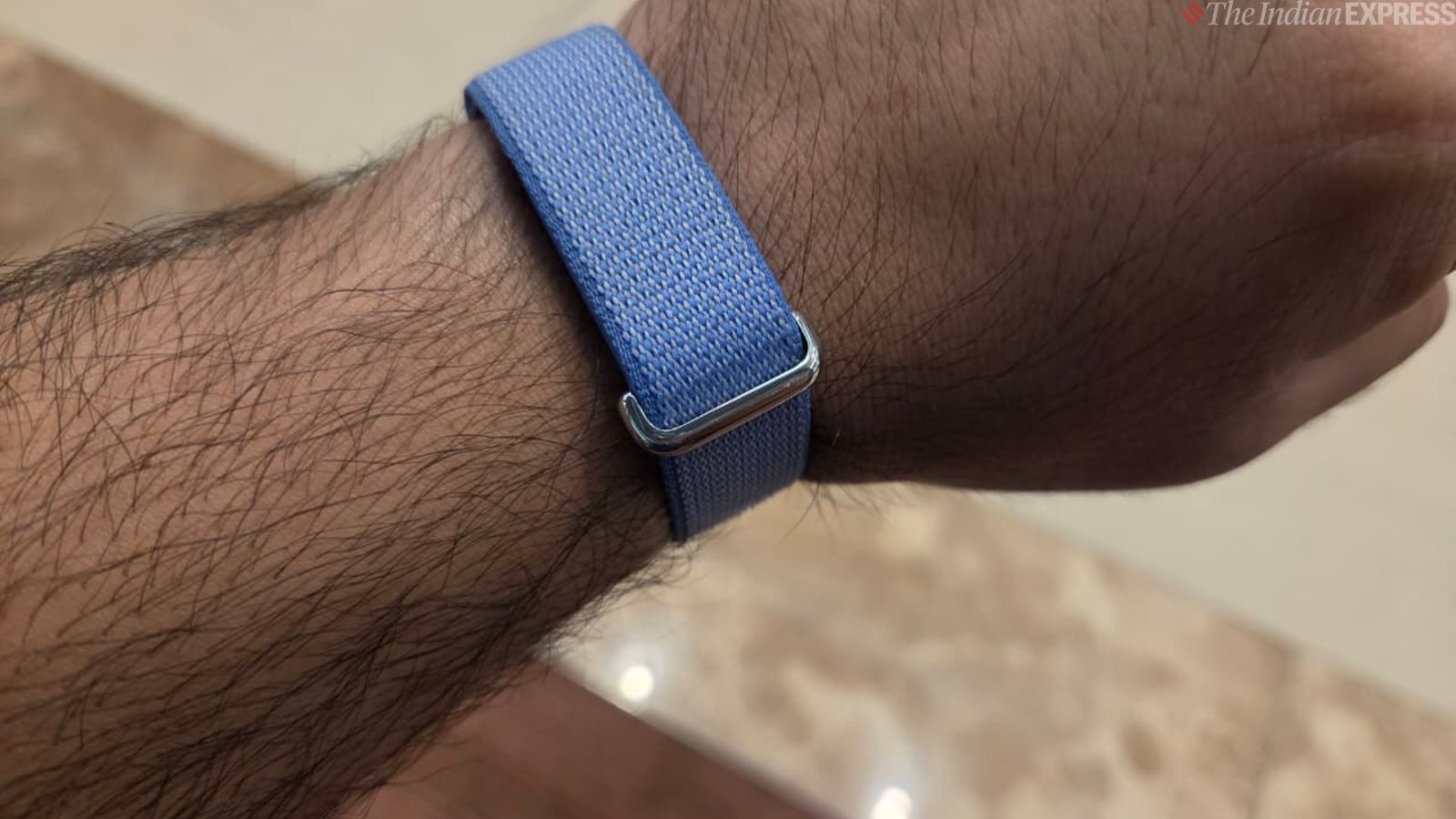
At first glance, the Fitbit Air can easily be mistaken for a bracelet. I am wearing the light blue textile loop band. The tracker itself is pebble-shaped and fits snugly inside a plastic housing, covered by the fabric loop, which conceals and protects it at the same time.
The band is adjustable and fastens with a Velcro-like strap, letting you secure it around your wrist for a snug, comfortable fit. The fabric is washable, a feature I believe every fitness tracker should have, especially after exposure to dirt and sweat. The best part of the design is that you can easily remove the tracker and reinsert it into the housing.
Story continues below this ad
The key difference I noticed between wearing the Fitbit Air and the Pixel Watch 5 is that I struggle to wear my smartwatch all day, especially at night. Frankly, wearing a smartwatch while sleeping can be uncomfortable, particularly when you toss and turn or change positions multiple times throughout the night. I think the Fitbit Air is a better device for tracking sleep, thanks to its lightweight and invisible design.
The tracker never irritates my skin, which is a definite plus. Since it sits so flush against the skin, it almost disappears on your wrist. The Fitbit Air is available in four colours: Obsidian, Fog, Lavender, and Berry.
 The single-size loop band is adjustable and closes with a Velcro-like strap. (Image credit: Anuj Bhatia/Indian Express)
Easy setup and long battery life
Setting up the Fitbit Air was a breeze. It took me just a couple of seconds to get everything ready and start using it. Simply pop the tracker into the band, charge it, and pair it with the Google Health app, available from the Google Play Store and Apple App Store. Once that’s done, you are good to go.
Even the magnetic charging cradle that comes with the Fitbit Air is simple and easy to use. The charger attaches magnetically to the tracker, which offers around a week of battery life, far longer than most smartwatches I have used. However, Whoop, the popular screen-free fitness tracker, needs charging only about twice a month. On the plus side, the Fitbit Air charges quickly, taking just five minutes to provide a day’s worth of use and around 90 minutes for a full charge, compared with up to 2.5 hours for Whoop.
Story continues below this ad
Reading the data
What makes the Fitbit Air different from other wearables, including smartwatches, is its app. There’s no fluff, such as customisable watch faces or apps. Instead, the app communicates through data, focusing on the health and fitness insights that matter most to users.
The Fitbit Air tracks all the basic metrics you would expect from a wearable, including resting heart rate, sleep stages, blood oxygen levels, heart rate variability, respiratory rate, skin temperature, and irregular heart rhythm notifications for atrial fibrillation. You name it, and it can track it. It also tracks workouts and steps, but it does a lot more.
The Fitbit Air impressed me with its detailed sleep analysis, tracking everything from REM and deep sleep to restlessness and how long it takes to fall asleep. It also offers personalised coaching, including bedtime recommendations to help me achieve my seven-plus-hour sleep goal. Much like the Oura Ring, these actionable insights are impressive.
The tracker also monitors your weekly cardio load, a metric similar to Whoop’s Strain feature that measures the amount of cardiovascular stress exercise places on your body.
Story continues below this ad
It also provides a daily readiness score out of 100 after a week-long calibration period. Based on HRV, sleep data, and resting heart rate, it helps you understand whether your body needs rest or is ready for a workout.
 If you have a Premium subscription, the new Health app will provide you with AI-based Gemini feedback. (Screenshot of the app taken on the Samsung Galaxy Z Fold 8)
As I mentioned earlier, data is key to better understanding your health and fitness. Give it a week or so for the Google Health app to start delivering insights based on the data the Fitbit Air collects over time. I found this to be a key difference between wearing an Apple Watch and the Fitbit Air. No matter how capable a wearable is or how comprehensive its app may be, it’s of little use if you don’t understand how to interpret the data. After all, that information is only valuable if you know what to do with it.
That’s where Google’s Health coach comes in, which is powered by Gemini AI. The coach doesn’t require a separate app; rather, it is built inside the Google Health app. Whenever you open the app, you see your daily metrics alongside personalised AI insights on recovery, workout comparisons, and suggestions for managing the rest of your day.
Although the AI coach isn’t perfect, it’s an interesting way to make sense of your data and find solutions to specific concerns. I think everyday users like me can benefit from its guidance. You don’t have to manually sift through too much information, and I believe Google wants conversations with its new AI coach to feel like a free-flowing exchange.
Story continues below this ad
For example, I spent a couple of days in San Francisco attending an event. Long days can be exhausting, and I was looking for a different diet to keep me energised without making me sleepy in the afternoon. Based on my data, the AI coach recommended focusing on my nutritional priorities. It analysed my current metrics and gave a fairly accurate response. I had been walking a lot but wasn’t getting enough sleep. What impressed me most was that the AI coach recognised my need for a structured dietary approach that suited my current lifestyle.
 Here’s my conversation with the AI Coach. (Screenshot taken on the Galaxy Z Fold 8)
It’s not like chatting to a chatbot. The AI coach is conversational, allowing you to share how you feel about your current diet, plan workouts, or ask questions about your health data.
Navigating the app is easy but can overwhelm some users initially – those users who aren’t used to deep data insights. Still, the Google Health app (formerly known as the Fitbit app) is an easier way to view your health data than Whoop’s app. The Google Health app offers a clean interface with daily stats, quick activity logging, a timestamped AI coach feed, and easy access to fitness, sleep, and health metrics.
However, the AI coach, in-depth health insights, and advanced tools are locked behind a subscription. The Premium plan is free for the first three months, after which it requires a monthly fee. While subscribing isn’t essential, it can help if you want to get the most out of the tracker.
Story continues below this ad
Without a subscription, the Fitbit Air still provides essential health metrics such as steps, blood oxygen levels, heart rate, skin temperature, and sleep stages. I would say that even without a Premium subscription, the Fitbit Air remains a fairly comprehensive tracker, unlike Whoop, which offers limited functionality and is barely usable without a subscription.
 My Pixel Watch 5 (left) next to to the Fitbit Air (right). (Image credit: Anuj Bhatia/Indian Express)
So, should you buy the Google Fitbit Air?
I actually liked the Fitbit Air. A screen-free fitness tracker has its place in the market, especially for those who want a discreet device that gets the basics right and provides useful health insights. However, smartwatches aren’t going anywhere. Advanced features such as ECG are still missing from devices like the Fitbit Air. Plus, those who prefer having a screen on their wrist and find glanceable information useful may still opt for a smartwatch.
After using the Fitbit Air, I felt it’s an ideal entry point for anyone who cares deeply about their health data and wants to use it to improve their health and fitness. This isn’t a basic fitness tracker, even if it looks like one. However, I would like Google to make the app a little faster. At times, the Google Health app takes a while to sync data, and I also noticed occasions when the tracker was slow to record activities. That said, the Fitbit Air is a good way to start taking your health seriously. It is priced significantly lower than the Apple Watch SE and Whoop, making screen-free fitness tracking more accessible to a wider audience.